你在意的,
浮现在屏幕上

What you care about,
floating on your screen

取餐码、取件码、车票机票、电影票——截一张图交给浮屏,它就变成一张锁屏卡,抬手可见;用完点一下「完成」,卡片就收起。

Pickup codes, flights, trains and movie tickets — screenshot it, and floato turns it into a Lock Screen card that’s there the moment you need it. Tap Done when you’re finished and it steps aside.

iPhone · iOS 26.5 及以上 · 简体中文 / English

iPhone · iOS 26.5 or later · English / 简体中文


浮屏咖啡取餐卡:馥芮白(大杯)×1,凭证码 D-316,附「完成」按钮Café Floato pickup card: Flat White (Grande) ×1, code D-316, with a Done button
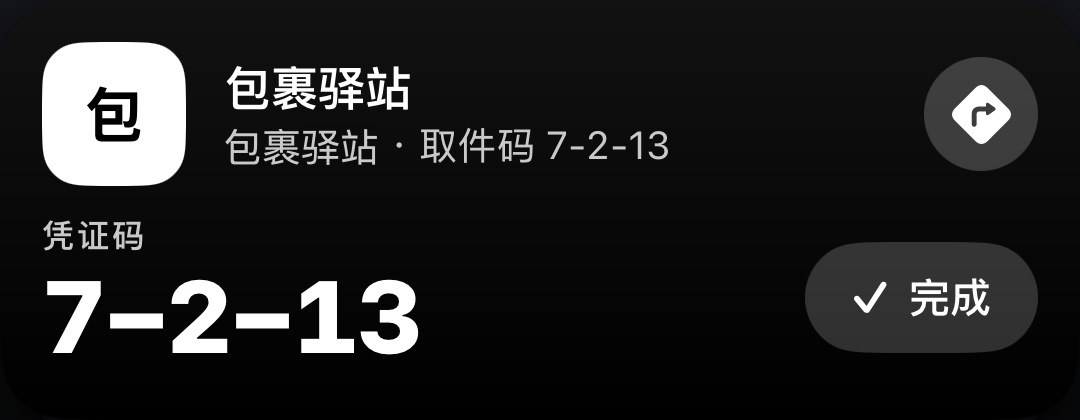
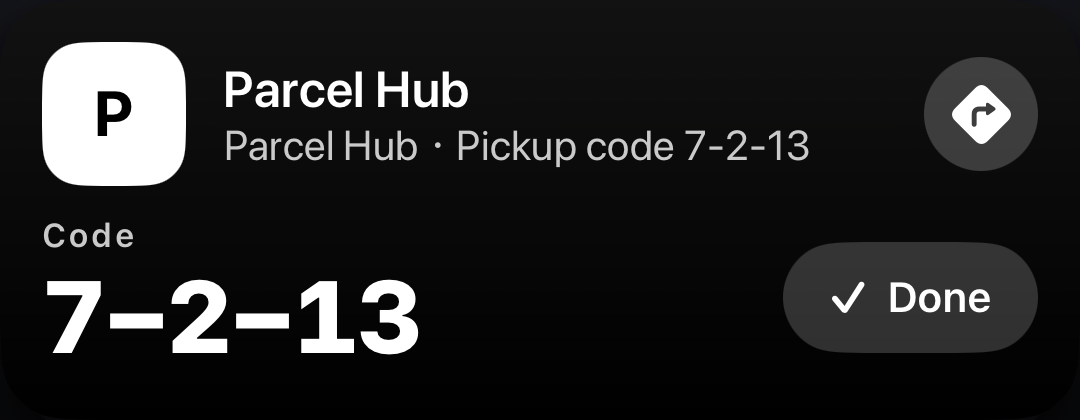
包裹驿站取件卡:取件码 7-2-13,附导航按钮与「完成」按钮Parcel Hub pickup card: code 7-2-13, with a directions button and a Done button
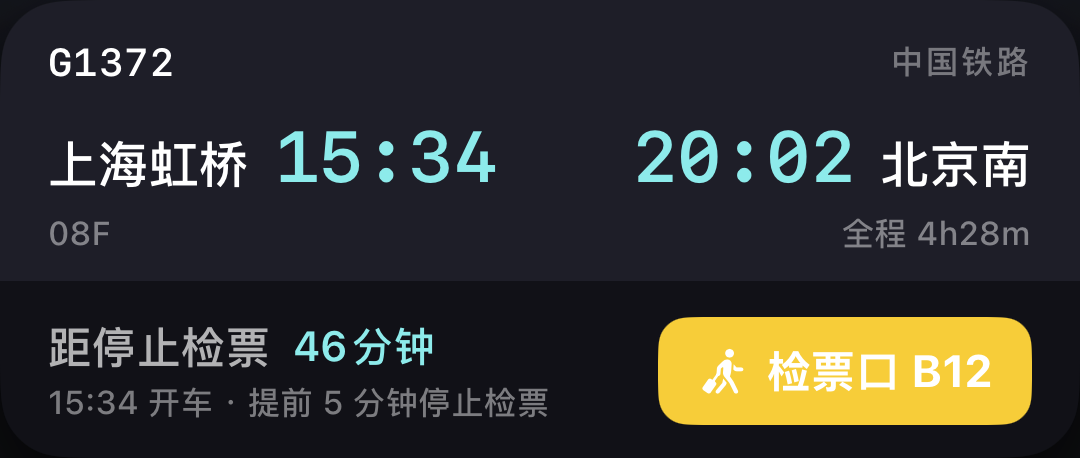
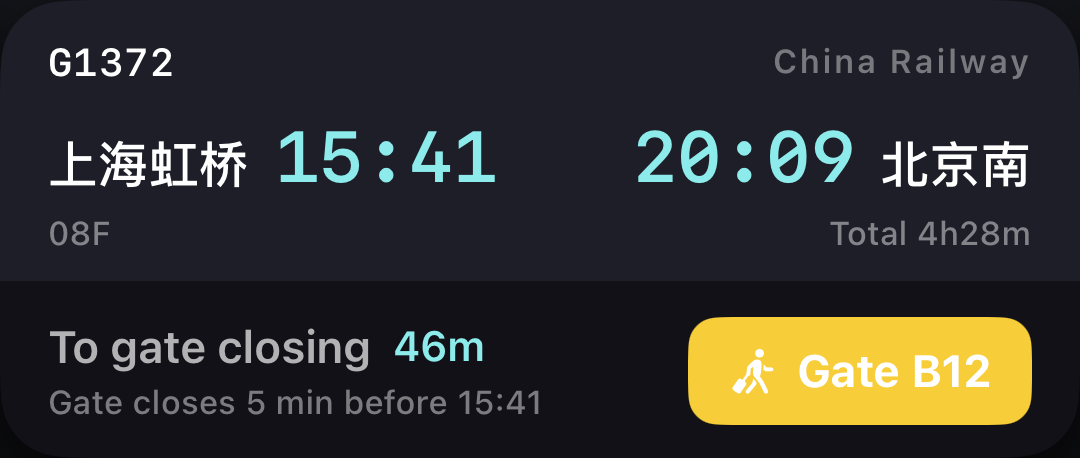
中国铁路 G1372 上海虹桥 → 北京南 的车票卡,带停止检票倒计时、座位与检票口China Railway G1372 Shanghai Hongqiao to Beijing South ticket card with boarding countdown, seat and gate
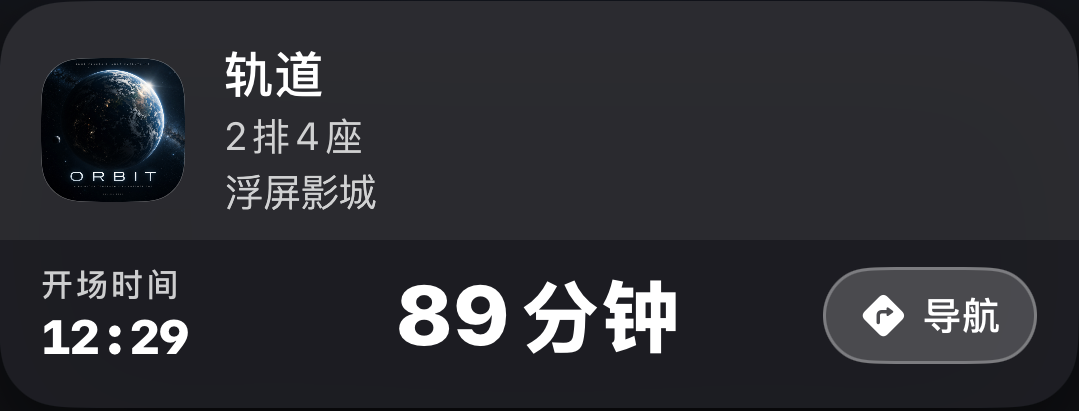
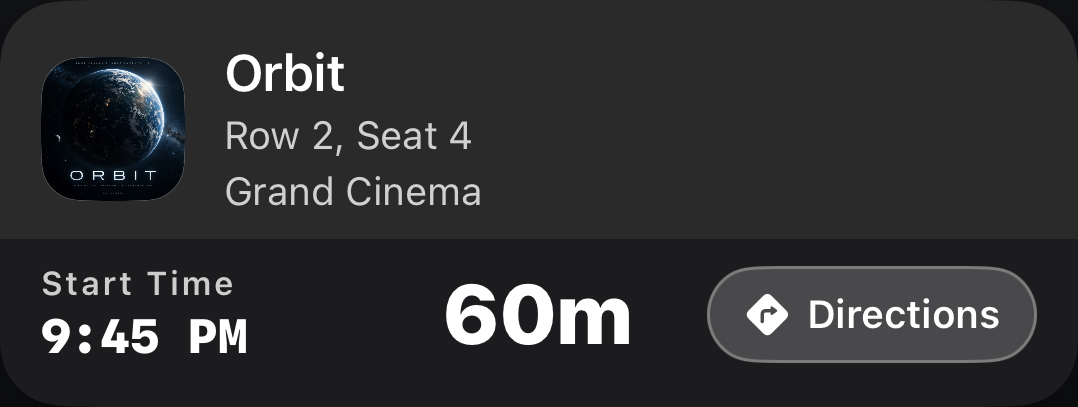
电影票卡:轨道,大光明影城,2 排 4 座,89 分钟后开场,附导航按钮Movie ticket card: Orbit, Grand Cinema, Row 2 Seat 4, starting in 89 minutes, with a Directions button
锁屏上的实时活动卡,由 App 真实渲染
Live Activity cards on the Lock Screen, rendered by the app itself

茶饮 · 咖啡取货

Coffee and drink pickup

出杯了、还在排队,凭证码和门店都在卡上。取到手点一下「完成」,卡片自己收走。

Ready or still in the queue, your code and the store stay on the card. Once it’s in your hand, tap Done and the card steps aside.
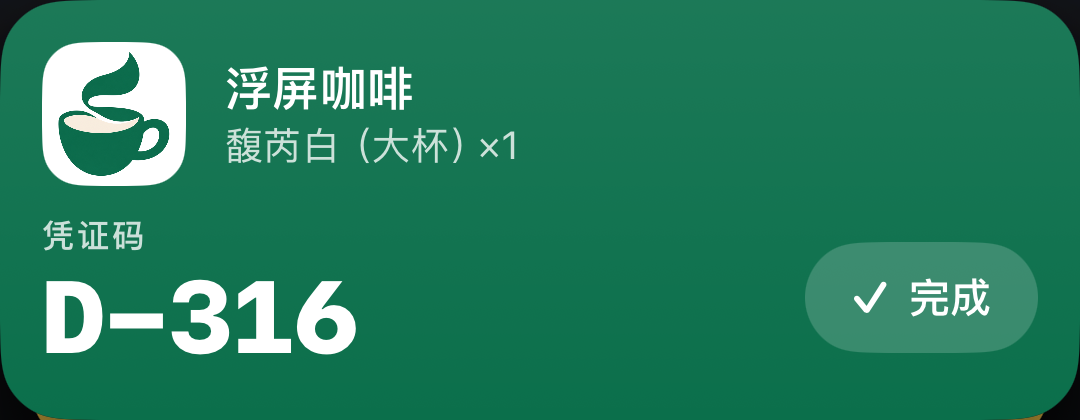
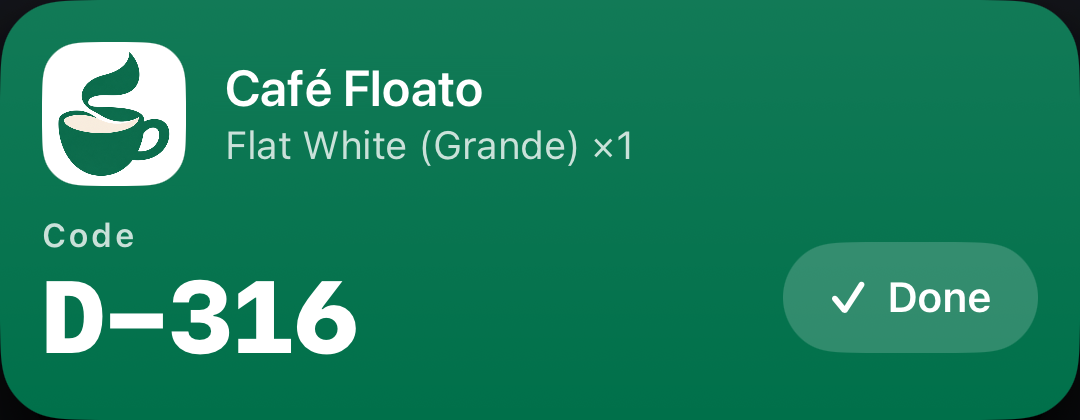
浮屏咖啡取餐卡:馥芮白(大杯)×1,凭证码 D-316,附「完成」按钮Café Floato pickup card: Flat White (Grande) ×1, code D-316, with a Done button

快递取件

Parcel pickup

凭证码不用再翻短信。到柜前抬手可见,顺手点导航直接带你到那台柜子。

No more digging through texts for the code. It’s right there when you reach the locker, and directions are one tap away.

包裹驿站取件卡:取件码 7-2-13,附导航按钮与「完成」按钮Parcel Hub pickup card: code 7-2-13, with a directions button and a Done button

机票 · 高铁

Flights and trains

距出发还剩多久自己走。出发时刻、座位、登机口或检票口都在卡上。

The countdown to departure runs on its own. Departure time, seat and gate stay in view.

中国铁路 G1372 上海虹桥 → 北京南 的车票卡,带停止检票倒计时、座位与检票口China Railway G1372 Shanghai Hongqiao to Beijing South ticket card with boarding countdown, seat and gate

电影票 · 演出

Movies and shows

座位和场馆钉在锁屏上,开场时间提前浮出来,不用在群里翻截图。

Your seat and venue stay pinned to the Lock Screen, and the start time surfaces before the doors open.
电影票卡:轨道,大光明影城,2 排 4 座,89 分钟后开场,附导航按钮Movie ticket card: Orbit, Grand Cinema, Row 2 Seat 4, starting in 89 minutes, with a Directions button

1.3.0 新增

New in 1.3.0

不开 App,主屏就能看

No app to open. It’s on your Home Screen.

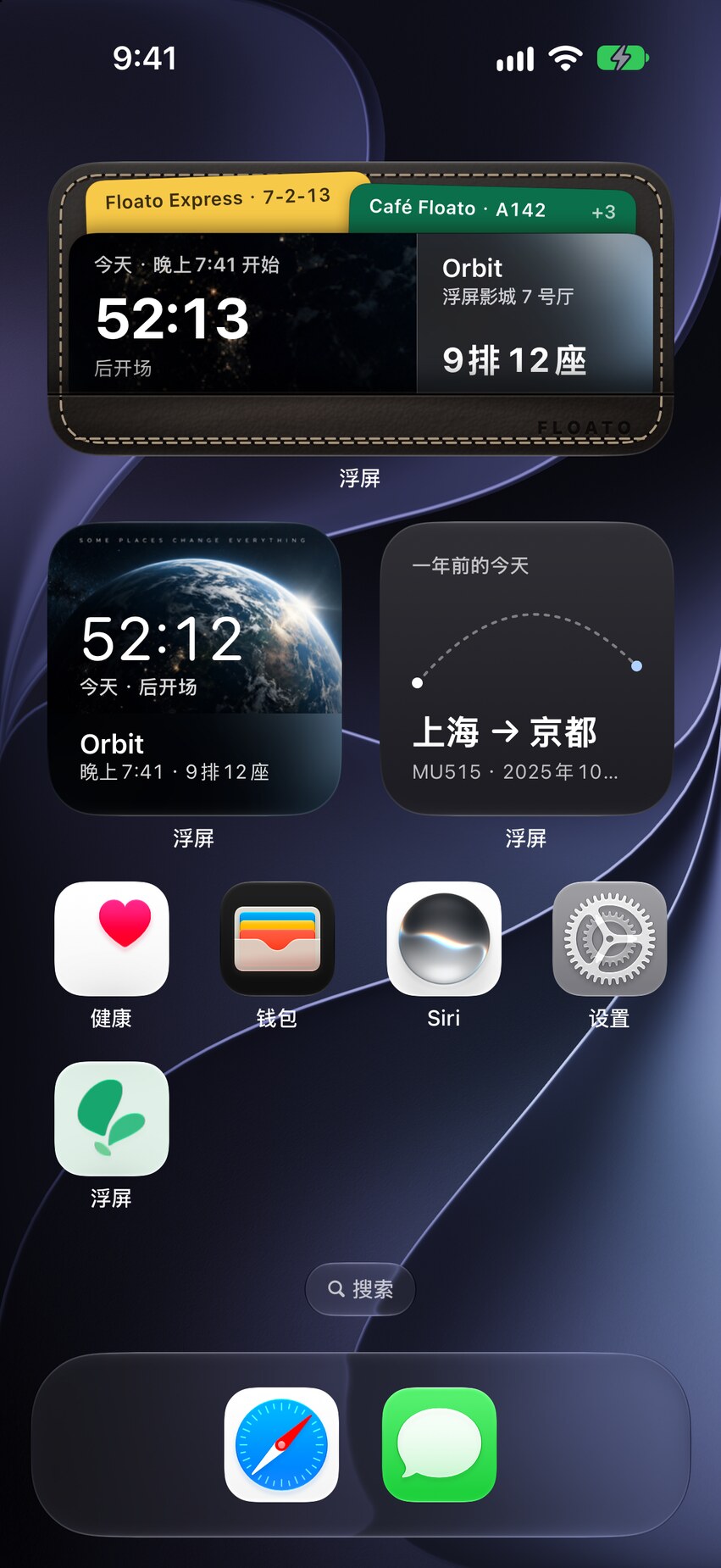
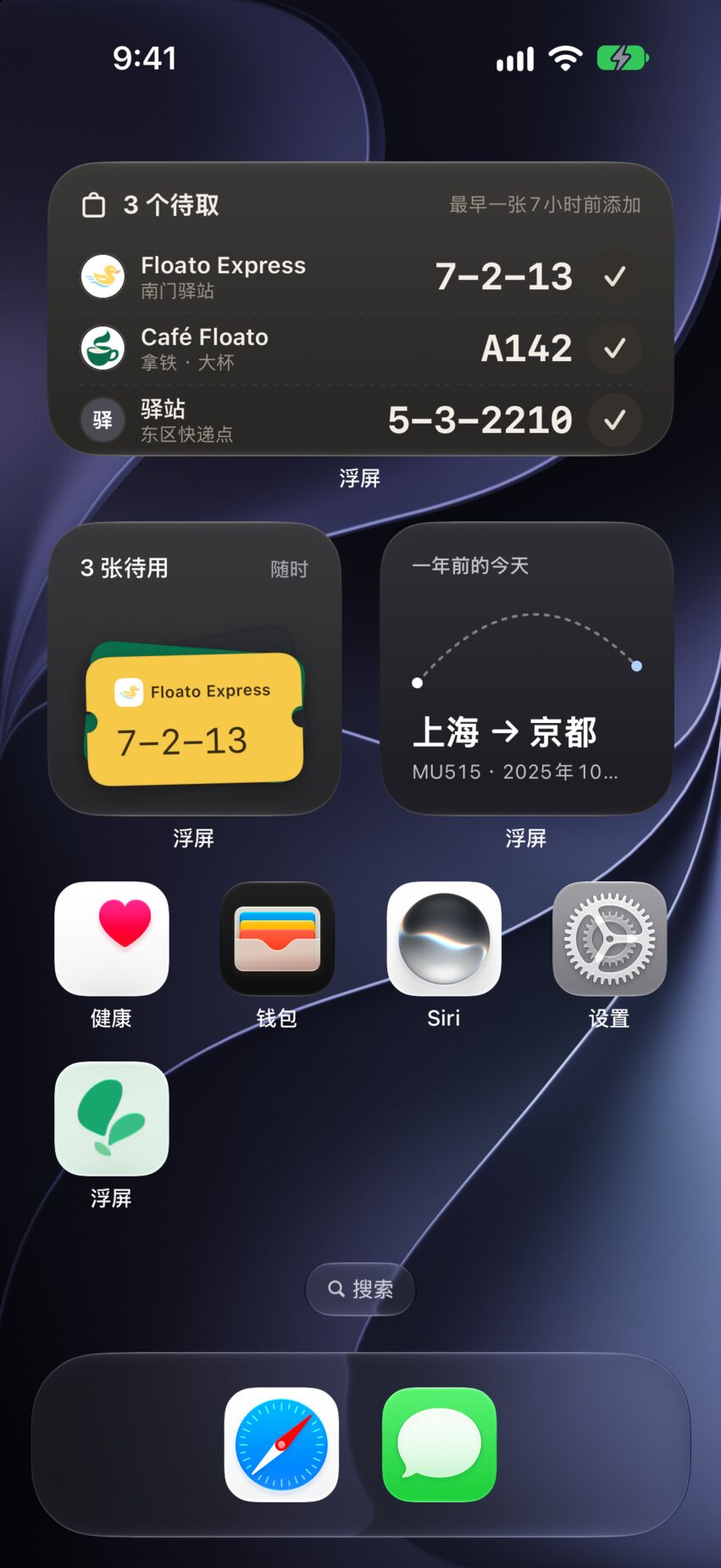
主屏小组件把待取的码、即将出发的车票和航班、马上开场的电影放在主屏上,不打开浮屏也能看到。

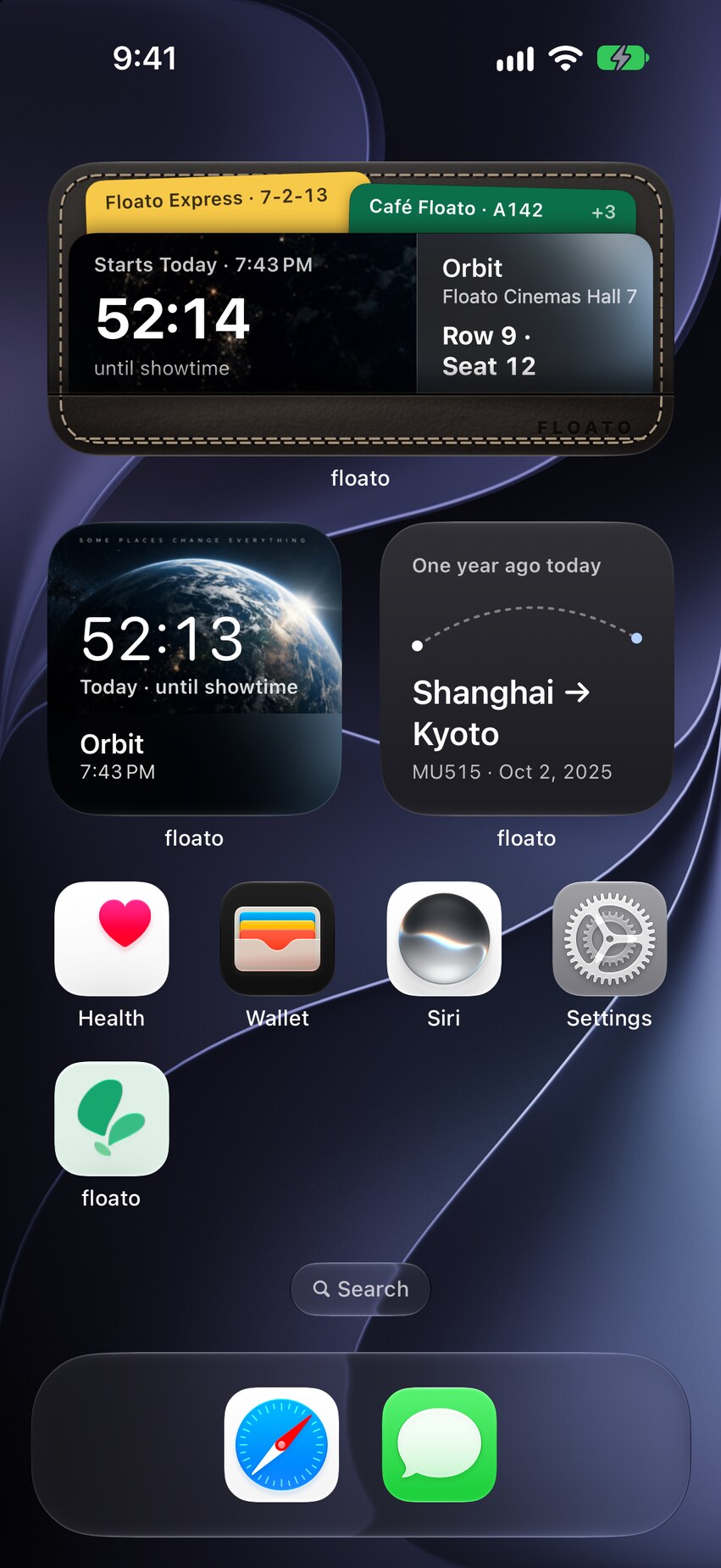
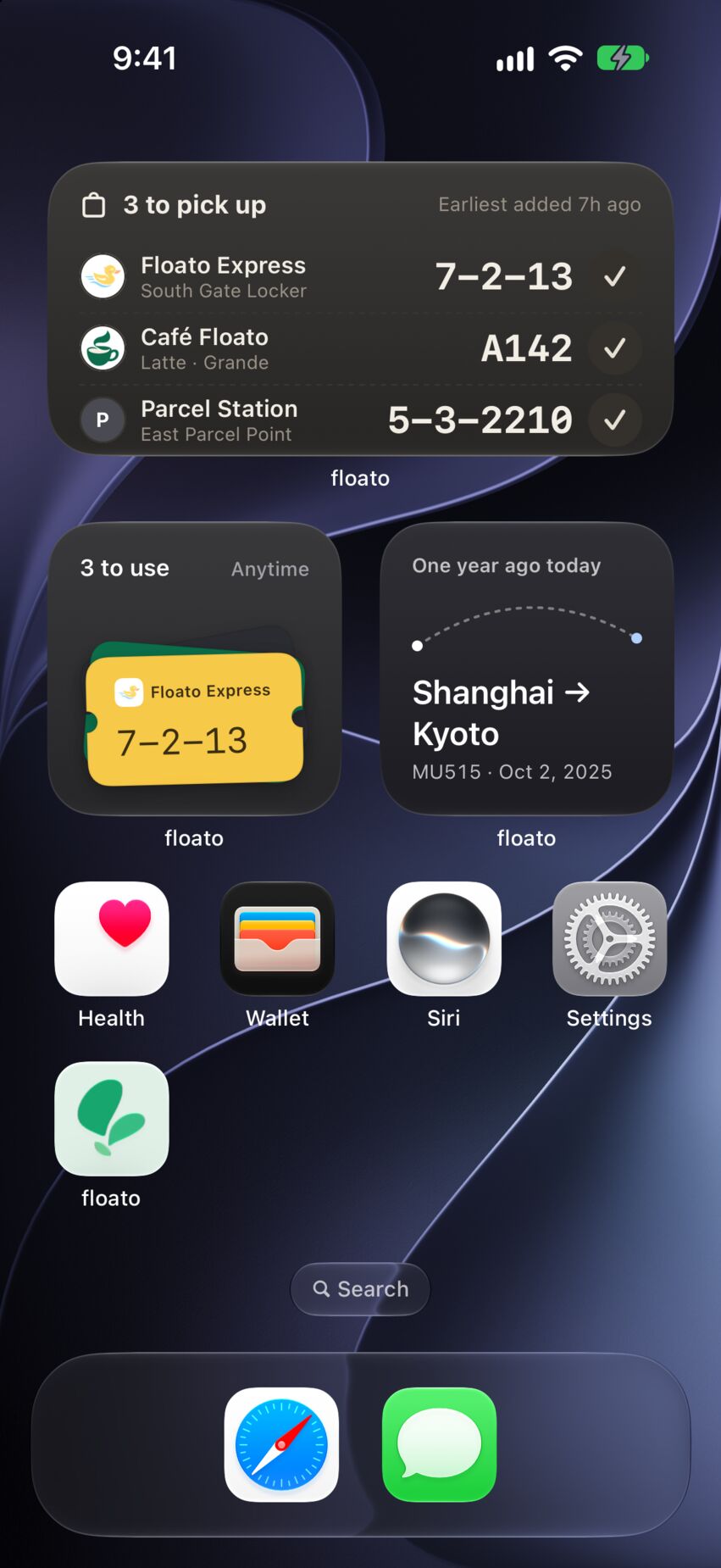
Home Screen widgets keep pickup codes and your next train, flight or movie in view, without opening floato.

  • 待用凭证

    Pending passes

    几个码待取就排成一列,下一班车、下一场电影的倒计时也在这里。取完在小组件上点一下,就能标记完成。

    Codes waiting to be picked up, lined up in one list, plus a countdown to your next train, flight or movie. Got it? Mark it done right from the widget.

  • 回顾

    Recap

    最近一张票根和常去的店;也可以改成看「一年前的今天」。

    Your latest ticket stub and the places you keep going back to — or switch it to where you were one year ago today.

  • 这个月

    This Month

    这个月的票根和最常去的那家店,铺满一块大号小组件。

    This month’s ticket stubs and your most-visited spot, laid out on a large widget.

添加方法见 App 内「设置 › 小组件」。

To add one, see Settings › Widgets in floato.

主屏上的浮屏小组件:中号列出三个待取的码,每个码旁边都有完成按钮;下方是一张待用的取件码和一年前的今天那趟航班floato widgets on the Home Screen: a medium widget listing three pickup codes, each with a Done button, above a pickup code and a flight from one year ago today
主屏上的浮屏回顾小组件:图鉴里的 7 个品牌,以及九月的行程封面和三张电影海报floato Recap widgets on the Home Screen: seven brands collected, and September’s trip cover with three movie posters

三种方式,随你顺手

Three ways in, whichever is handy

取件通知、订单页、电子票、券码——品牌、凭证码、时刻、地点一次认全。

Pickup texts, order pages, e-tickets, voucher codes — floato reads the brand, code, time and place in one pass.

  • 截图后,打开浮屏选图

    Screenshot it, then pick it in floato

    最直接:在浮屏里选一张截图,或者直接拍一张照片,几秒后卡片就在锁屏上。

    The most direct way: choose a screenshot in floato, or take a photo, and the card is on your Lock Screen seconds later.

  • 在分享菜单里固定

    Pin from the Share Menu

    连 App 都不用开:截图后点缩略图 → 分享,在应用那一排下面选「固定到锁屏」。

    No need to open floato: tap the screenshot thumbnail, tap Share, and choose “Pin to Lock Screen.”

  • 用快捷指令一步到位

    One step with Shortcuts

    配一次快捷指令,之后按住操作按钮或轻点背面两下,截图、识别、上锁屏一步走完。

    Set up the Shortcut once, then press and hold the Action Button or double-tap the back of your iPhone. Screenshot, read, pinned.

用完的,也值得回看

Done, but worth looking back on

看过的电影、坐过的车和飞机,点完成后都留下一张票根;取餐、取件按店记次数。一年下来,你去过哪、常去哪,浮屏替你记着。

Every movie, train and flight you mark Done leaves a ticket stub, and pickups are counted by store. Over a year, floato remembers where you went and where you keep going back.

  • 票根墙

    Stubs

    按月排开的票根:那趟航班、那场电影、那次周末往返,一屏翻回去。

    Ticket stubs laid out by month — that flight, that film, that weekend away — all on one screen.

  • 品牌图鉴

    Brands

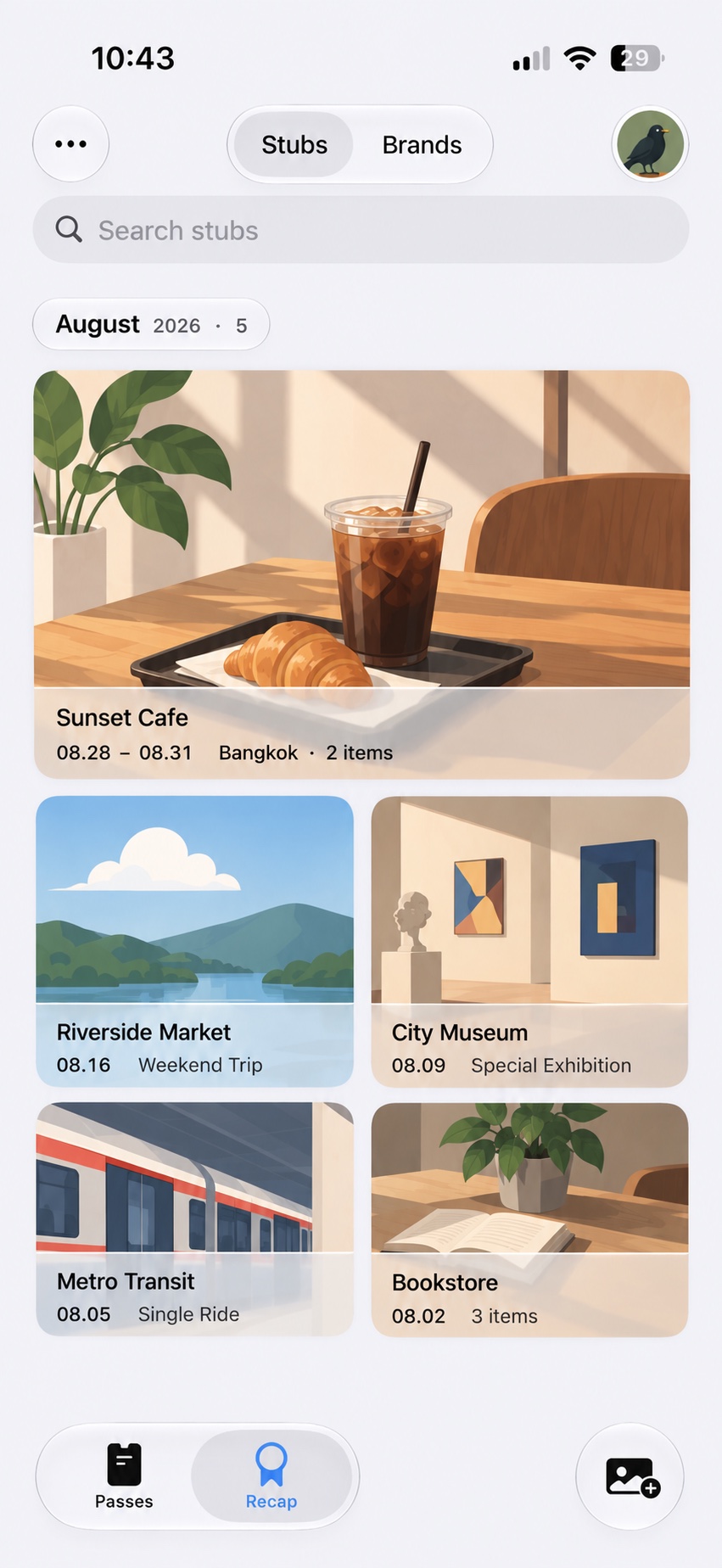
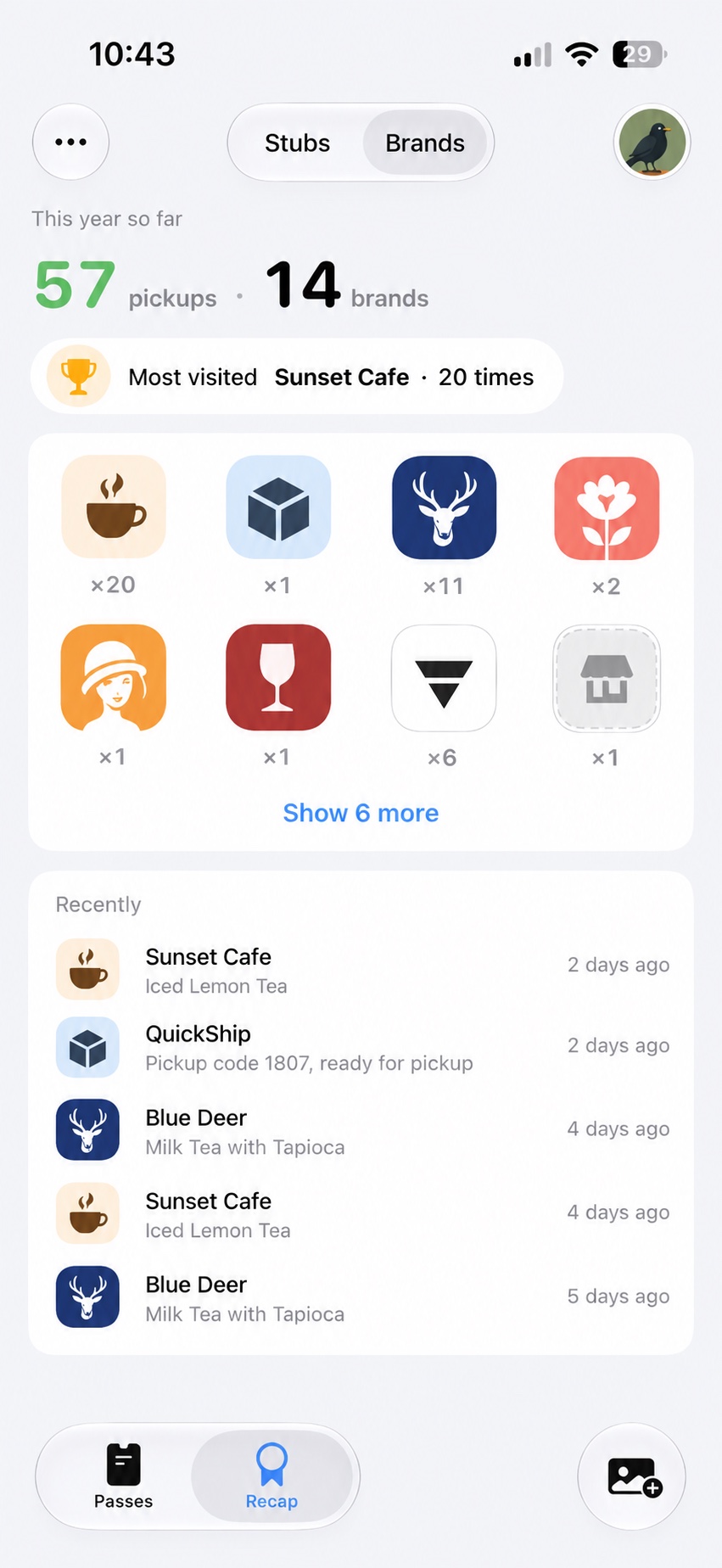
    今年取了多少次、去了几家店、最常去哪一家,连同最近取过的几家一并列出。

    How many pickups this year, how many stores, which one you visit most, plus the places you went most recently.

浮屏回顾页「票根」截图:按月排列的凭证票根墙Screenshot of the floato Recap “Stubs” tab: a wall of pass stubs arranged by month
浮屏回顾页「品牌」截图:今年 57 次取件、14 个品牌,以及最近取过的几家店Screenshot of the floato Recap “Brands” tab: 57 pickups across 14 brands this year, with the places visited most recently
灵动岛
Dynamic Island
在支持的 iPhone 上,同一张卡缩进灵动岛,在别的 App 里也看得见。
On supported iPhone models, the same card lives in the Dynamic Island while you use other apps.
完成即收走
Done means gone
点「完成」卡片退场;取餐、取件卡在锁屏上就能点。
Tap Done and the card leaves. Pickup cards have Done right on the Lock Screen.
提醒
Reminders
给卡片设个提醒,到点之前通知你,不用自己记。
Set a reminder on a card and get a nudge before it’s time.
分享图
Share image
把卡片导出成一张图发给同行的人;要不要带码,每次由你决定。
Turn a card into an image for whoever’s coming along. You decide each time whether the code goes in.

隐私,先说清楚

Privacy, up front

识别在云端完成,所以这几条写在最前面。

Recognition happens in the cloud, so this comes first.

  • 截图只用于当次识别,不保存原图。Your screenshot is used only for that one recognition; the image is never stored.
  • 识别出的结构化结果最多保留 24 小时,之后自动删除。The structured result is kept for at most 24 hours, then deleted automatically.
  • 不需要注册账号;不保存姓名、邮箱、手机号。No account needed. Your name, email and phone number are never stored.
  • 第一次上传前会明确告知,并给出隐私政策入口。You’re told before your first upload, with a link to the privacy policy.

识别服务提供订阅与点数包两种选择,具体价格与试用条件请以 App 内显示为准。

Recognition runs on credits or a subscription. See the app for current prices and trial terms.

浮屏只从你的截图里提取信息,不签发、不验证凭证;识别结果可能有误差,使用前请以商家原始信息为准。

floato reads information from your screenshot; it doesn’t issue or verify passes, and results may contain errors. Always check the merchant’s original details.

阅读完整隐私政策Read the full privacy policy

把下一张截图交给浮屏

Hand your next screenshot to floato

现在可从 App Store 下载。打开后挑一张示例截图推上锁屏,马上看到浮屏能帮你做什么;无需注册。

Available now on the App Store. Open it, push a sample screenshot to your Lock Screen, and see what floato does — no account needed.

需要 iPhone 与 iOS 26.5 及以上。

Requires an iPhone running iOS 26.5 or later.

联系我

Get in touch

浮屏由一个人做。识别错了、想放新的凭证类型、或者只是想聊聊,都欢迎。

floato is made by one person. A wrong read, a pass type you’d like to see, or just want to say hi — I’d love to hear from you.